
Pick folders like Explorer
Whole drives, folders or single files, and leave out what you don't need.
Automatic backups for every PC in your office
Hamzaif Backup Center backs up the important folders of every computer in your office to one backup drive, automatically, over your own network. Pick folders like in Windows Explorer, import computers from your domain, set schedules for groups and watch every copy live. When something goes wrong, restore a file, a folder or a whole drive back to the PC in a few clicks, and get alerts on WhatsApp, email or Telegram.
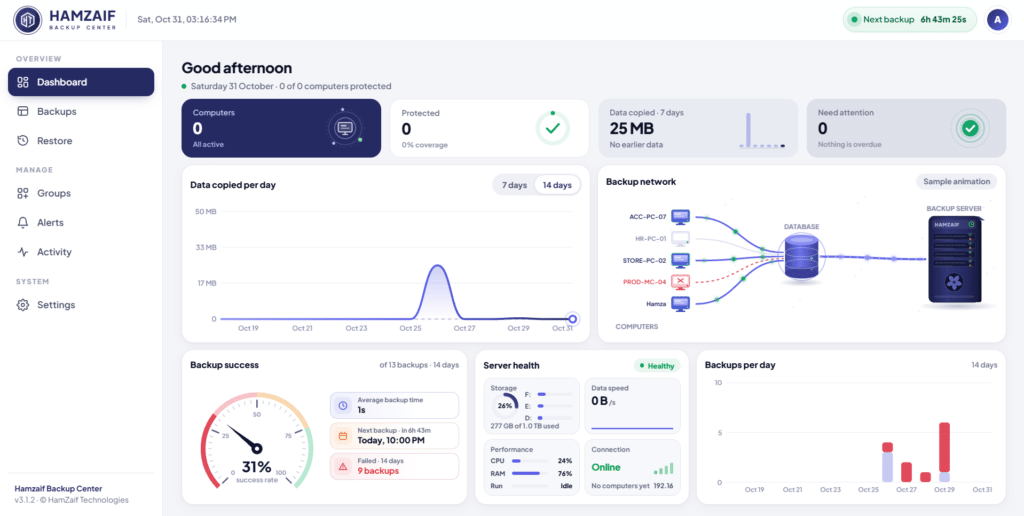
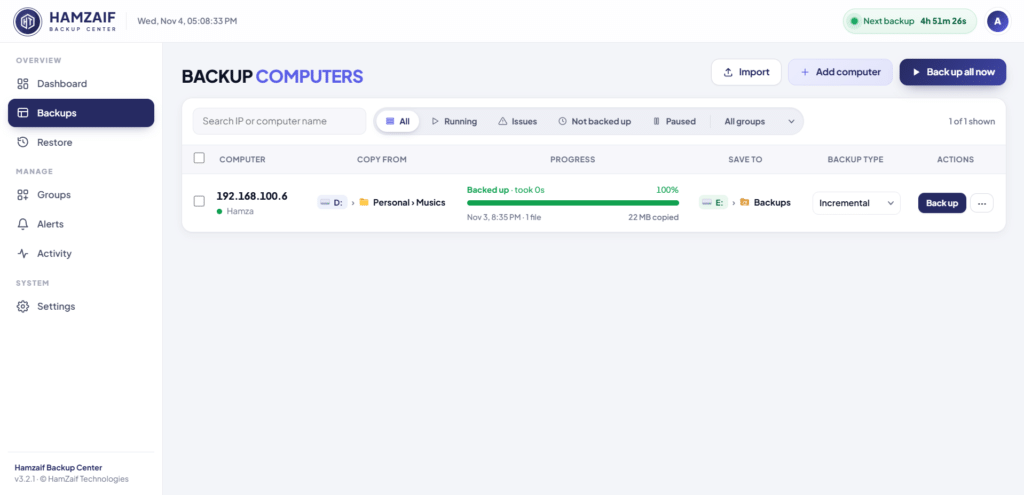
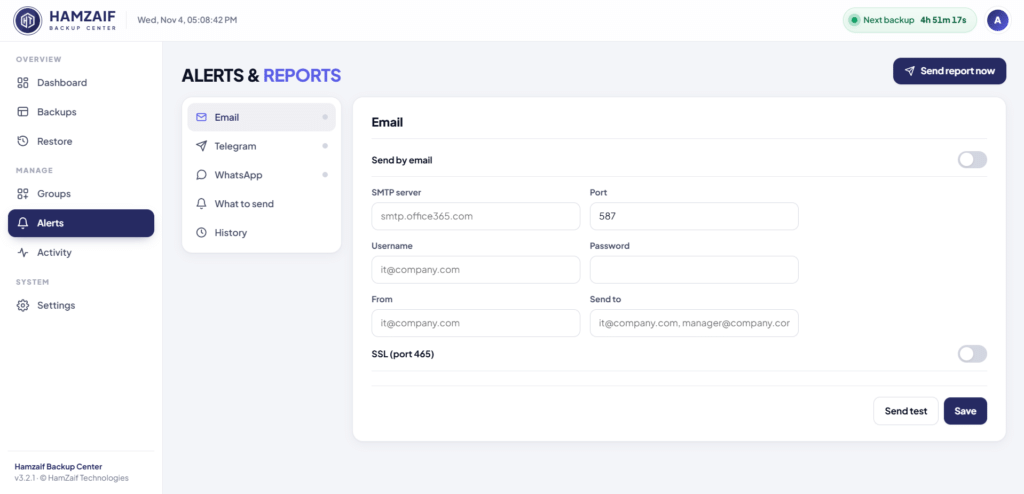
Central backup for office PCs over your LAN, with schedules, live progress, one-click restore and alerts.
Whole drives, folders or single files, and leave out what you don't need.
Bring in computers from Active Directory, or add them by hand.
One full copy, then only the changes, in the same layout as on the PC.
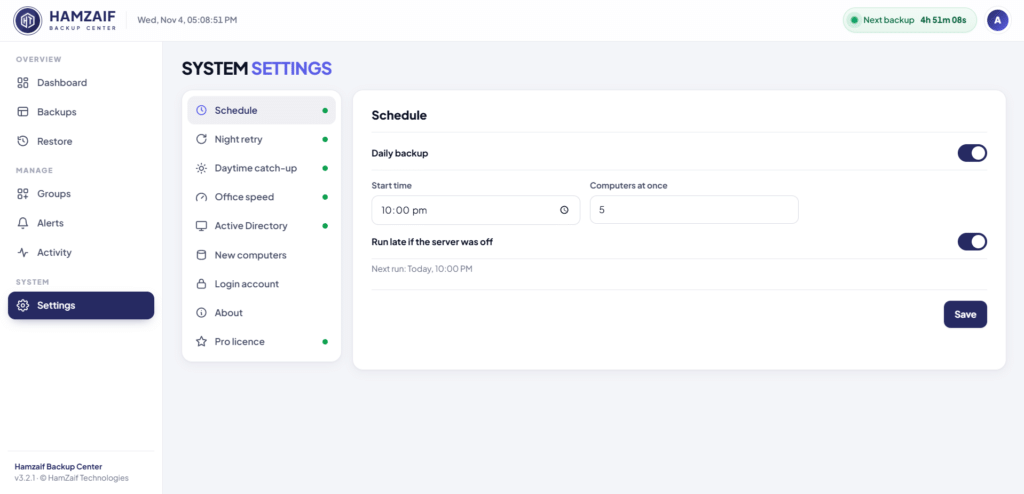
Different times for different groups, with a live next-backup countdown.
See which PCs are copying right now, with live progress.
Put back a file, a folder or everything to the original drive.
Results on WhatsApp, email or Telegram, so nothing fails silently.
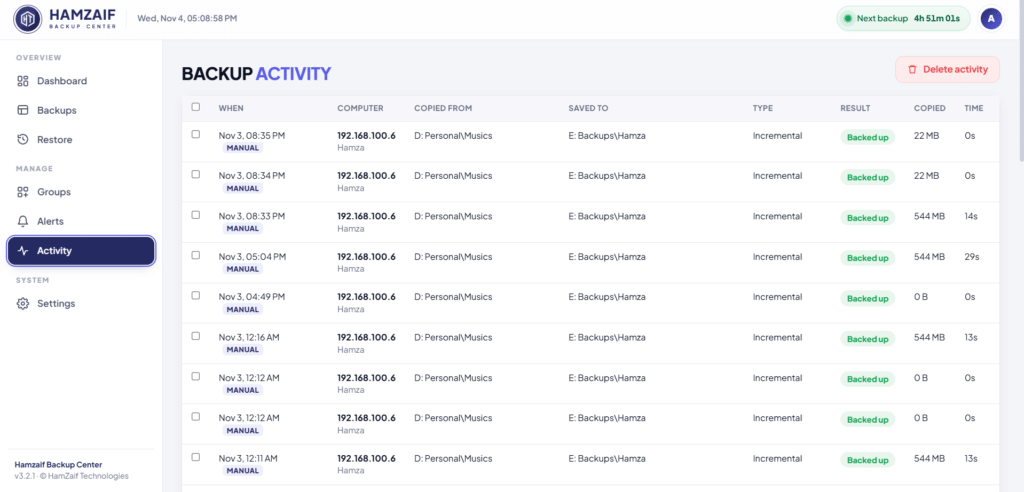
Backup health at a glance and the history of every computer.
Copies over your LAN, with no cloud and no monthly storage bill.
Only your IT team can change settings or restore files.
Manage everything from a browser on the backup server.
Run the new setup over the old one and every setting is kept.
Automatic backups for every PC in your office. Built and supported by HamZaif Technologies in Gujrat, with installation and training included.
Get a quoteAny Windows PC with a big backup drive becomes the backup server.
Import them from your domain and pick the folders to protect.
Choose times for each group of PCs.
Backups run on their own and alerts tell you how they went.
No. Everything is copied over your own office network to a drive you own. Internet is only used for alerts.
Backups run on a schedule you choose, such as after office hours, and only changed files are copied after the first full backup.
Yes. Restore one file, a folder or a whole drive back to the original computer in a few clicks.
Tell us a little about your business. We'll show you a live demo, suggest the right plan and send a clear written quote.
Only name and phone are required.